

Written by Nexevolve’s Dynamics 365 consulting team — a Microsoft Dynamics 365 implementation partner based in Australia.
For many businesses, the first 90 days of a Copilot for Dynamics 365 ROI rollout are when the groundwork, early signals and first meaningful ROI indicators emerge. For roughly the first third of that window, it can look like nothing is happening.
That’s not a warning sign, it’s the normal shape of a rollout. Most businesses only learn that after judging the investment too early and writing it off.
This article breaks down realistic Copilot for Dynamics 365 ROI expectations week by week. It’s not drawn from a single Copilot-specific study; none exists with this level of detail. It’s a general pattern based on how SaaS and ERP/CRM rollouts typically behave, applied to Copilot’s current feature set.
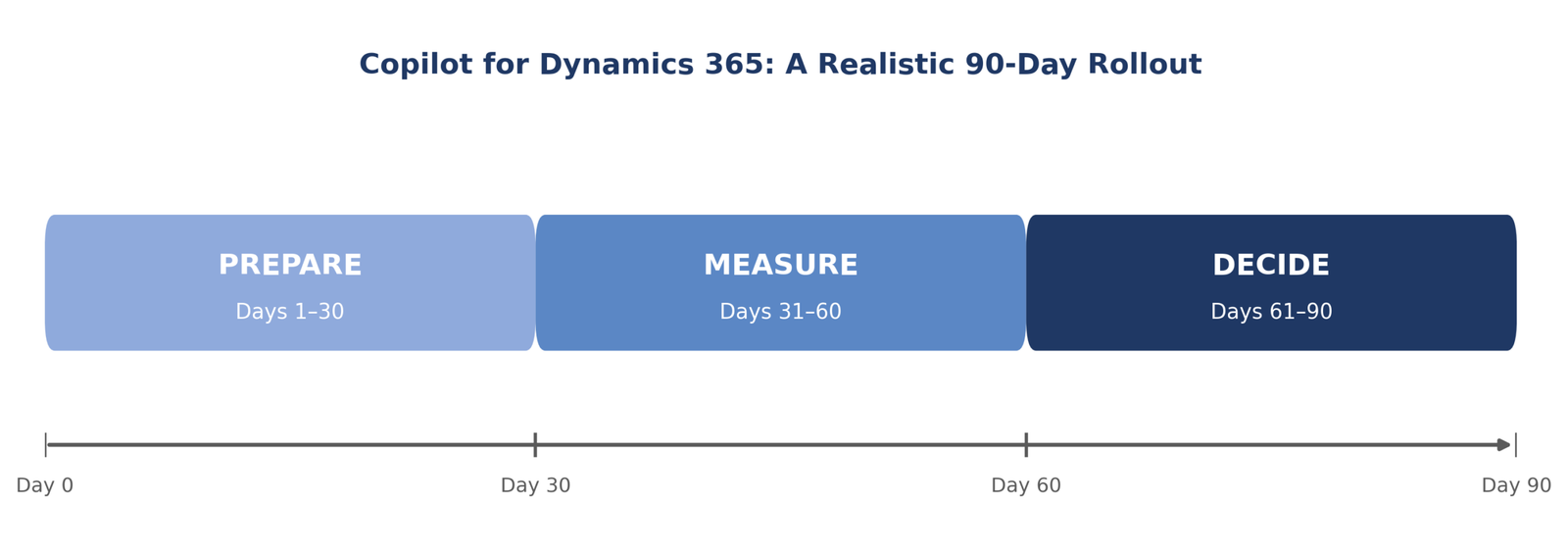
At a glance – the 90-day milestone summary:
| Phase | Days | What Happens | What to Watch For |
| Prepare | 1–30 | Licensing, data governance, and pilot process selection | A false start is normal here – usually a data or process gap, not a Copilot failure |
| Measure | 31-60 | First measurable signal appears in your chosen process | Uneven adoption across users is a training gap, not a feature gap |
| Decide | 61-90 | Enough track record to expand, adjust, or pause | Expand narrowly – one feature at a time, not several at once |
What Is Copilot in Dynamics 365?
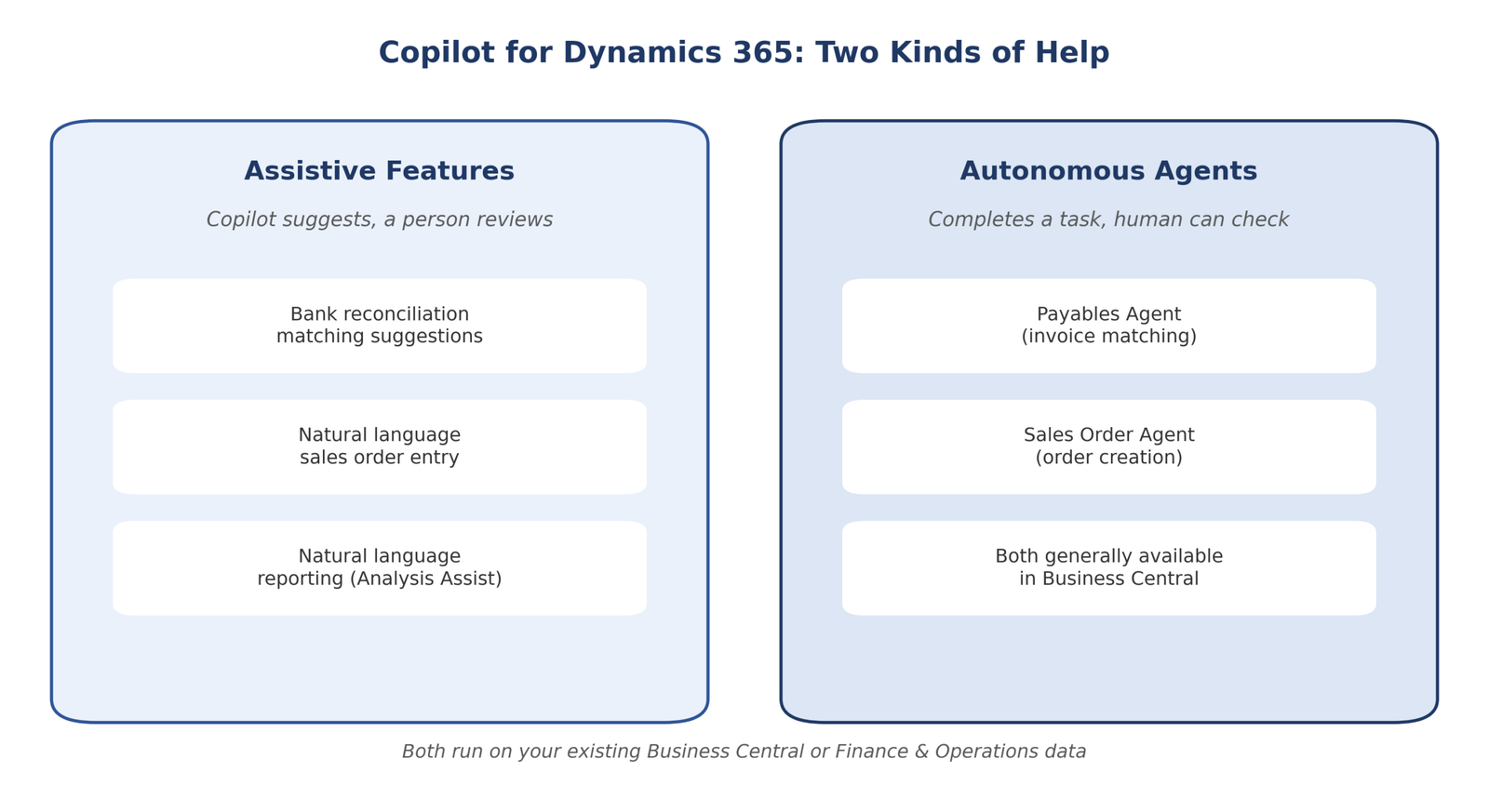
Copilot for Dynamics 365 is Microsoft’s AI layer built directly into your ERP and CRM; Finance, Supply Chain Management, Sales and Customer Service, not a separate app you buy and bolt on. It covers three kinds of help:
Assistive features – Copilot suggests, a person reviews. Native Copilot chat is generally available in Dynamics 365 Finance (version 10.0.38 or later) and Copilot in Dynamics 365 Sales gives sellers record summaries, meeting prep and account updates through natural language chat.
Autonomous agents – Copilot completes a defined task with less manual input, still with human review. Sales Agent and Service Agent both reached general availability in July 2026, operating across Dynamics 365 Sales and Customer Service via Microsoft 365 Copilot. On the Supply Chain Management side, the Procurement Agent’s supplier communications features are still in production-ready preview, not full GA.
Everything runs on your existing data – Copilot works with the records you already have, which is why data quality matters so much to performance.
Copilot for Dynamics 365 is a different product from Microsoft 365 Copilot (inside Word, Excel, Outlook, Teams), though the two increasingly connect, Sales Agent and Service Agent, for instance, operate consistently across both. Baseline Copilot features are included with your existing Dynamics 365 licence; the more advanced agents run on consumption-based Copilot Credits, not a separate subscription – part of why the usual ROI math doesn’t transfer cleanly between the two products.
A note for Australian businesses: implementation costs are typically quoted by local partners in AUD billable rates, so cost that alongside your Copilot Credit allocation. Also check how customer and financial data is handled against the Australian Privacy Principles, given these features touch customer records, invoices, and case data directly.
Why Timing Expectations Matter More Than the ROI Number Itself
Most content jumps straight to a payback percentage, usually borrowed from Microsoft 365 Copilot studies measuring drafting and summarising tasks. Those figures don’t map onto ERP and CRM features; the technology isn’t slow, but the underlying process needs time to adjust, which is why immediate-return expectations set rollouts up to be abandoned prematurely.
Days 1–30: Prepare — Setup, Governance, and the First False Start
The first month is mostly invisible from the outside. This is when data governance gets checked. Three questions matter most:
- Is your customer and item data consistent?
- Are your approval chains sensible?
- Is your chart of accounts or case-routing logic clean enough for Copilot to work with reliably?
Skipping this is the single most common reason a rollout underperforms later.
Expect a genuine false start around week two or three – a common SaaS-rollout pattern, not a Copilot-specific statistic. A user tries a feature, gets an unhelpful result, and concludes “it doesn’t work.” Often, that’s a data or process gap surfacing for the first time, not a Copilot failure.
A realistic Day 1–30 checklist
- Confirm licensing and Copilot Credit allocation for your tier
- Clean up the specific data set feeding your chosen pilot feature
- Select one process with a genuine backlog, not a scattershot rollout
- Brief the pilot group so an early miss isn’t read as a verdict
Days 31–60: Measure — The Pilot Actually Starts Showing Something
Based on how SaaS and ERP/CRM rollouts typically play out, the first genuine signal tends to appear by week five or six; not a dramatic transformation, but a measurable change in the process. Piloted Service Agent? Case resolution times should start visibly shortening. Piloted Copilot in Finance? Routine reconciliation questions get answered without escalating to a specialist.
One Australian consideration: avoid kicking off a pilot right before EOFY or your peak trading period, the data-cleanup work competes with the same finance and operations resourcing. Starting just after your busiest period gives a cleaner read.
This is also where a second false start commonly happens: someone expects uniform improvement across every user and it isn’t. That’s a training gap, not a feature gap.
What to actually measure at this stage
- Whether your process’s queue length or resolution time has genuinely moved – not whether users feel faster
- Adoption rate within the pilot group
- Edge cases the feature struggled with, for your implementation partner
Days 61–90: Decide — The Decision Point
By week nine or ten, you should have enough of a track record to make an honest call: expand, adjust, or pause. Earlier false starts either resolve, the underlying issue gets fixed or persist, signalling the process needs work independent of Copilot.
Businesses that expand successfully tend to do so narrowly, rolling the same feature to the rest of the team rather than switching on three at once. Scaling everything at once tends to lose the specific signal that got you this far.
Benefits of Following a Structured 90-Day Timeline
- Fair evaluation – Judging a pilot at day 90 beats judging it at day 10.
- Early problems get caught cheaply. An issue surfaced in week two costs little to fix; the same issue after a business-wide rollout costs considerably more.
- Realistic budgeting. Copilot Credits consumption ramps up gradually, avoiding under- or over-provisioning.
- Stronger internal buy-in. Staff told upfront that week one might feel unremarkable and are less likely to write the rollout off prematurely.
Read our Latest Blog – How Australian 3PLs Lose Revenue to Spreadsheet Billing
How to Measure Copilot for Dynamics 365 ROI
Everything above explains when ROI should become visible. Here’s how to calculate it:
📊 ROI CALCULATION
ROI (%) = [(Value Created − Cost of Rollout) ÷ Cost of Rollout] × 100
“Value created” is a combination of metrics:
Value side: hours saved on manual tasks, reduced manual processing volume, shorter case resolution or reconciliation time, reduced exception handling, adoption rate.
Cost side: Copilot Credit consumption, implementation costs (including Privacy Principles data-handling review), estimated payback period.
None of these are meaningful in isolation – a high hours-saved figure means little if adoption is low. Baseline each number before the pilot, re-measure at day 60 and 90, and compare.
Hypothetical illustration: at a loaded labor rate of ~$60/hour for an Australian support or finance role – a planning assumption, not a cited benchmark; saving 300 hours a year creates $18,000 in annualised value. Against a $6,000 rollout cost, that’s 200% ROI: (18,000 − 6,000) ÷ 6,000 × 100. Your own numbers will differ; the formula is what matters.
An Illustrative Scenario: What a 90-Day Rollout Can Look Like
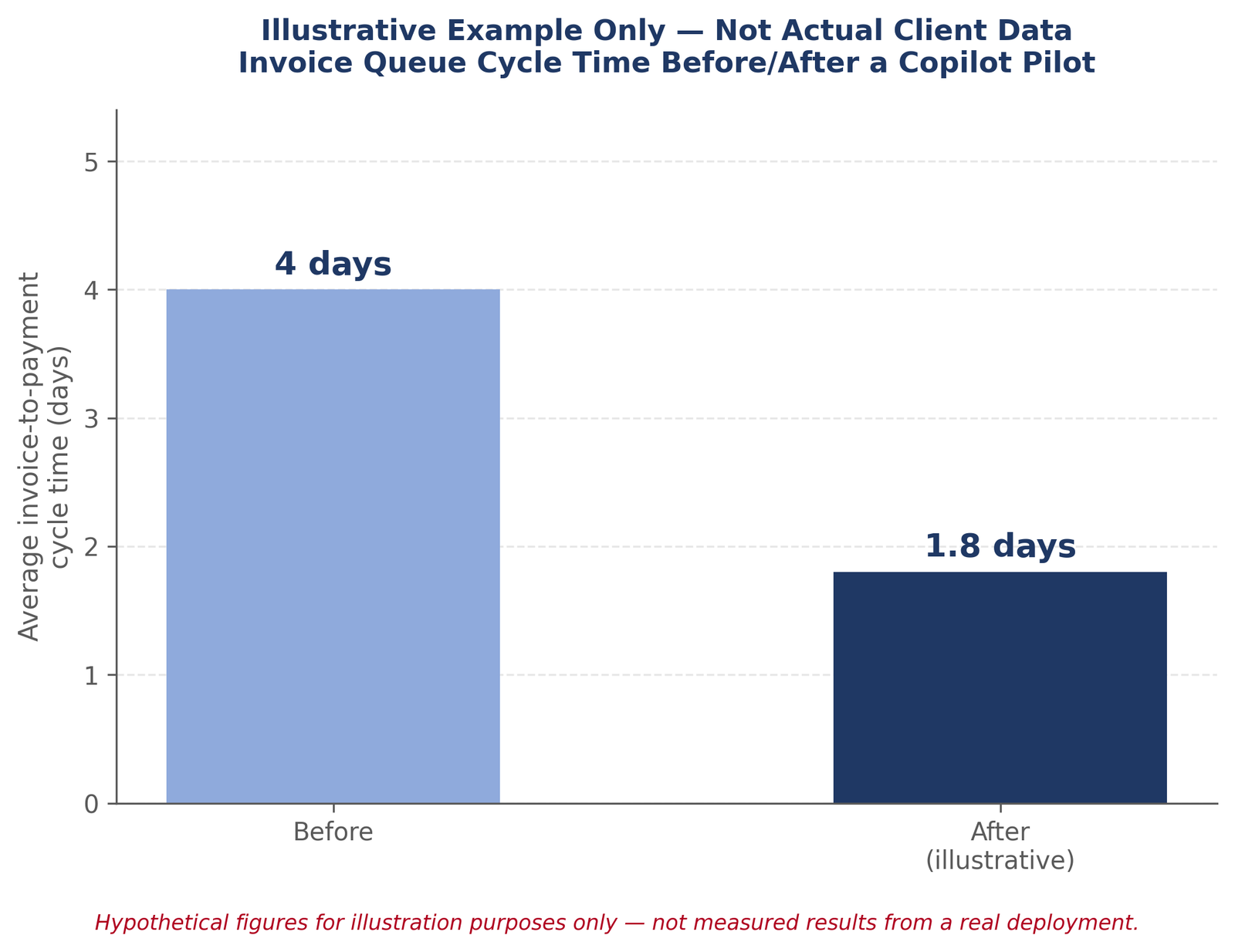
Here’s a hypothetical scenario – not a real client, not measured data.
A business piloting Service Agent might find, in the first few weeks, that inconsistent case-categorisation increases the number of cases the agent hands back for manual review. Once fixed, case resolution that previously took several hours starts moving noticeably faster, not because agents typed faster, but because fewer cases need full manual triage.
By the 90-day mark, this business would typically have enough of a track record to decide whether to expand, having already resolved the data issue that would otherwise resurface with each new user. The value here is the shape of the pattern, not the precise figures.
Conclusion
A realistic ROI timeline for Copilot for Dynamics 365 isn’t 90 days of steadily climbing value. It’s roughly 30 days of invisible groundwork, 30 days of a measurable signal appearing, and 30 days of deciding what to do with it and most “it didn’t work” verdicts come from skipping straight to day 10.
We help Australian businesses plan and run that 90-day window properly. Get in touch with our Dynamics 365 team and we’ll help you:
- Identify the best Copilot use case for your business, not just the most talked-about one
- Assess whether your data is clean enough to pilot on with confidence
- Estimate the potential savings for your specific processes
- Build a realistic 90-day pilot roadmap
- Get a clear estimate of implementation and Copilot Credit costs before you commit
If you’re planning a Copilot for Dynamics 365 pilot, get in touch with us before you start the clock.