
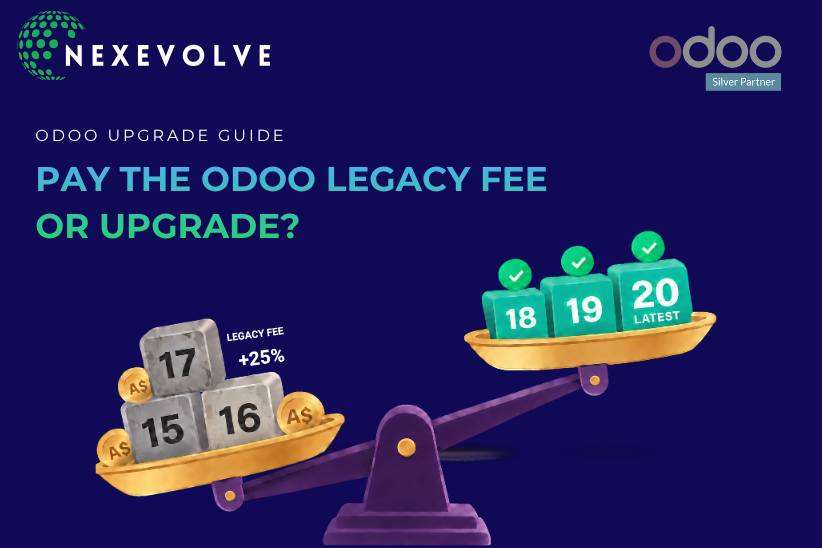
Your next Odoo renewal might come with an unexpected 25% fee.
If your business is running an older Odoo version, that extra cost could make you wonder whether it’s time to upgrade or simply pay the fee and carry on.
But upgrading isn’t always the cheaper option straight away. It depends on your current version, customisations, integrations and how much work is involved in moving to a newer release.
Let’s look at what the Odoo legacy fee means for Australian businesses, what it could cost and how to decide which option makes financial sense.
The essentials
What it is: the Odoo legacy fee is a 25% surcharge on your annual Enterprise subscription when your Odoo version is outside the latest three.
Who pays: Odoo Australia customers on Enterprise who run Odoo.sh or on-premise and renewed after July 2025. Odoo Online is not affected.
What it costs: about A$2,580 a year for 20 users on Standard, or A$4,800 on Custom (excluding GST).
The Legacy Fee: What It Is and Who Pays It
Odoo supports its three most recent major versions as standard. If your Odoo database runs an older version outside the latest three, an additional 25% legacy fee may apply to your Enterprise subscription, subject to your contract conditions. Odoo’s page on standard and extended support explains how support differs for older versions.
The fee uses your yearly price. On a multi-year contract, that is the total value divided by the number of years. Odoo charges it about six months after each new major version is released, so timing matters. Upgrade before then and you avoid the fee. Older versions can keep running, but check what Odoo version support your contract includes.
Which versions carry the fee today?
Odoo releases one major version a year. With Odoo 20 out, the covered versions are 20, 19 and 18. Anything outside the latest three counts as an Odoo legacy version. Odoo 16 and older already carry the fee if your contract was renewed after July 2025. Odoo 17 is next, with a first charge expected around March 2027, so check your contract.
Odoo version | Where it stands |
|---|---|
Odoo 18, 19 and 20 | Within the latest three, so no fee |
Odoo 17 | Expected to attract the fee around March 2027 |
Odoo 16 and older | Fee already applies, subject to your contract conditions |
 Who does not pay it?
 Who does not pay it?
Older contracts:
if you renewed before July 2025, you are protected until your next renewal date.
Odoo Online:
Odoo manages the hosting and version upgrades, so the fee mainly affects Odoo.sh and on-premise setups.
The Cost in Australian Dollars: What 20 Users Would Pay
The sum is simple: annual subscription × 25%. This table uses Odoo Australia list prices (checked October 2026) for 20 users on annual billing, excluding GST. The fee applies to your entire subscription, regardless of which apps you use. Check the latest rates on Odoo’s pricing page.
Plan | Annual subscription (20 users) | Legacy fee per year | Fee over 3 years |
|---|---|---|---|
Standard (A$43 per user, per month) | A$10,320 | A$2,580 | A$7,740 |
Custom (A$80 per user, per month) | A$19,200 | A$4,800 | A$14,400 |
Three-year figures assume the subscription price and the 25% fee stay the same.
The fee is rarely the biggest cost when you budget for ERP software in Australia. For the full picture, see our guide on what Odoo costs for Australian businesses.
The Upgrade Side: What Drives the Odoo Upgrade Cost
Your Odoo upgrade cost depends far more on your system than on the version number. Five things shape it.
What shapes the cost | Usually lower | Usually higher |
|---|---|---|
Version gap | One version behind | Several versions behind, each tested |
Custom modules | Mostly standard apps | Custom code checked for every version |
Third-party add-ons | Kept up to date | No release for your new version |
Data and workarounds | Clean records | Duplicates and spreadsheet workarounds |
Integrations and reports | Few connections | Bank feeds, online store, payroll and custom reports to retest |
Your Odoo CRM integration, Odoo POS system integration and online store connection may behave differently after an upgrade. Check and test each connection, along with any automated workflows that support your daily operations.
Odoo upgrades run one version at a time. Moving from version 15 to 19 means four steps, each with its own testing. The effort grows with every version you skip.
A quote given without looking at your database is a guess. If you’re planning an Odoo upgrade in Australia, ask a partner with experience in Odoo implementation services to review your current version, modules and renewal date and provide a written upgrade plan.
The Break-Even Sum: When an Upgrade Pays for Itself
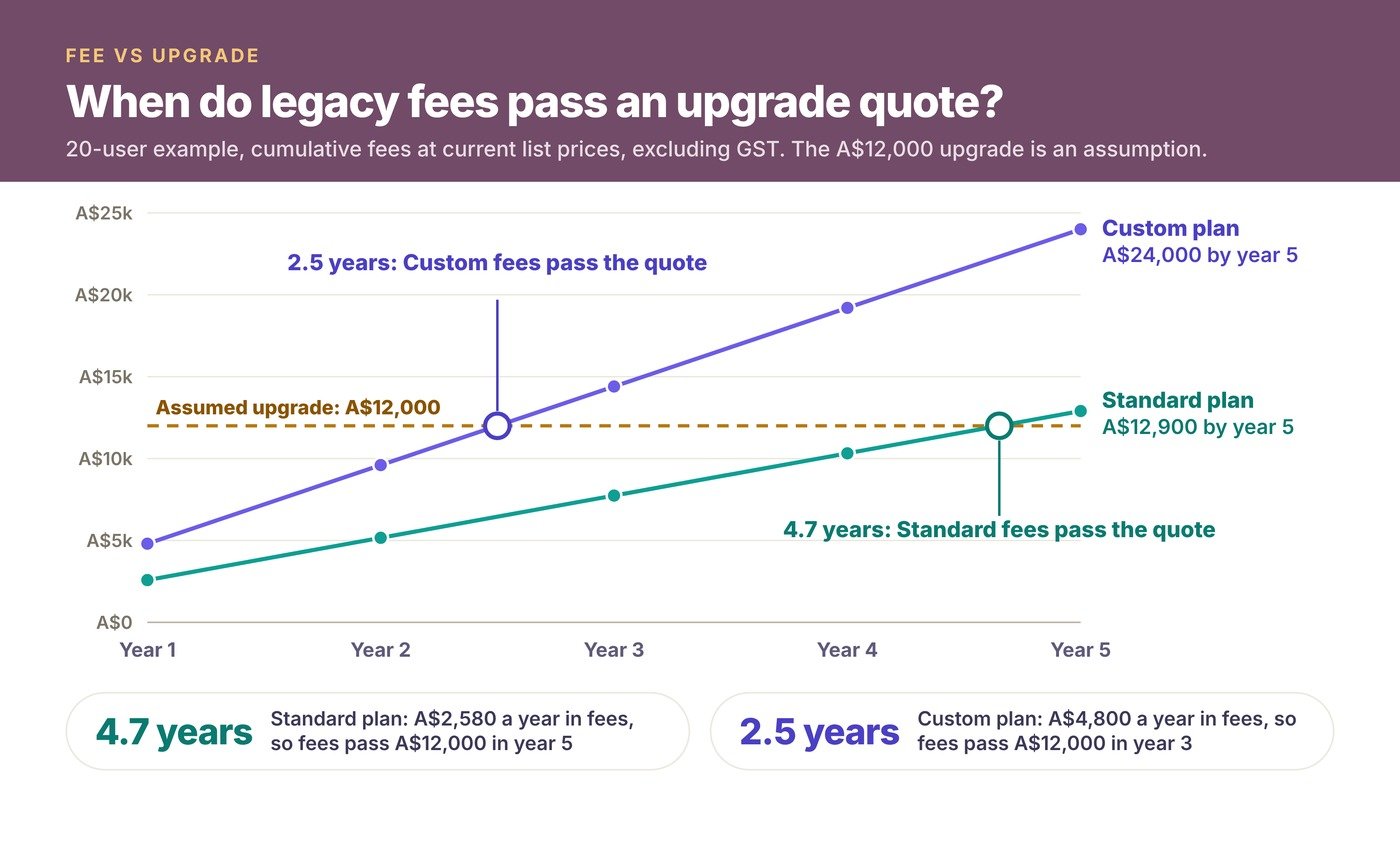
Divide the upgrade cost by 25% of your annual subscription to get the years of fees it would cancel. Here is a worked example for the Standard plan with 20 users.
Worked example | Figure |
|---|---|
Assumed upgrade cost | A$12,000 |
Annual legacy fee (Standard, 20 users) | A$2,580 |
Break-even period | About 4.7 years |
On Custom, the same upgrade breaks even in about 2.5 years. The sums leave out future price changes, the benefits of a newer version and the cost of delay.
A caution: if you wait four years or more, the upgrade rarely costs what it does today. Third-party integrations change, and every skipped version adds testing and rework, so these break-even figures may be optimistic for a long delay.
Beyond avoiding the fee, a current version keeps your Odoo ERP solutions in step with new features and add-on releases, which matters for SMEs running business management software.
What to compare | Upgrade now | Pay the fee for now |
|---|---|---|
Cost this year | One-off upgrade project | The 25% fee only |
Effort | One planned project | Smaller now, larger later as the gap grows |
Main risk | Rushing during a busy month | Falling behind on features, add-ons and support |
Best when | You are on 16 or earlier, or lightly customised | You are heavily customised or in a busy period |
Our view
The fee alone rarely justifies a rushed upgrade. What makes waiting expensive is the growing version gap, because every skipped version adds testing and add-on checks. Pausing is fine. Drifting is not.
Which Move Fits: Upgrade Now, Stage It or Wait
These are three illustrative situations, not client case studies.
Upgrade now: a wholesale distributor on Odoo 16
A 20-user business using Odoo ERP for wholesale with mostly standard apps, renewing in March. Choose this if the fee already applies and little custom code is involved.
Warning signal: finishing after the fee starts, so it still applies.
Stage it: a manufacturer on Odoo 17
A 35-user business using Odoo ERP for manufacturing, with custom routings and barcode modules. Choose this if the fee is expected from 2027 and custom work needs care. Retest your inventory and production flows first.
Warning signal: leaving the module audit until the last month.
Wait and review: a retailer on Odoo 18
A 12-user business using Odoo ERP for retail with mostly standard apps. Choose this if you are still inside the latest three, so no fee applies.
Warning signal: forgetting to review your Odoo 20 upgrade options before Odoo 18 drops out of the covered group.
Six Questions to Ask Before You Decide
- Which version are we on, and when do we renew?
Find the version in your database and the renewal date in your contract. The fee follows the contract. - How many custom and third-party modules do we run?
List every one. Each needs checking for every version you cross. - Is our data clean enough to move?
Remove duplicates and old records first, or they travel to the new version. - What will the upgrade cost, in writing?
Ask for the versions you will cross and what is included. A low quote often leaves out testing or training. - When is our quietest month?
Avoid end of financial year and peak trading. Our go-live checklist shows what to ask before you go live. - Who tests, and who trains?
Ask your partner to test real workflows on a copy of your database, such as month-end close and stock counts in your Odoo inventory management solution. See our Odoo 20 pricing and features guide for what is new.
Conclusion: Make the Odoo Legacy Fee a Decision, Not a Surprise
The Odoo legacy fee is a 25% surcharge, not a cliff. Some businesses should pay it for a while, and others should upgrade now. The risk is doing neither and letting the gap grow. Start with two facts: your version number and your renewal date. Whatever you choose, write down the date and the reason.
Not sure whether upgrading makes sense for your business?
Share your current Odoo version, renewal date and the modules you use. Nexevolve can help you understand your options and work out whether upgrading now or waiting makes more sense. Book a free consultation or explore our Odoo services.