
If your business runs Odoo and Microsoft 365, there is a very good chance your email setup is broken, insecure, or quietly non-compliant. This post explains why — and how our new Microsoft Graph Mail module fixes it permanently.
The Problem Nobody Talks About
Odoo is one of the most powerful all-in-one ERP platforms in the world. It handles your CRM, your invoicing, your inventory, your HR, your helpdesk, your sales pipeline, your project management – everything. Thousands of businesses run their entire operation inside Odoo.
And every single one of those businesses sends email.
Invoice reminders. Lead follow-ups. Helpdesk ticket replies. HR offer letters. Purchase order confirmations. Project update notifications. Every workflow in Odoo touches your email server at some point.
So here is the uncomfortable question: how secure is that email connection, really?
For businesses running Microsoft 365 – which accounts for a significant portion of the enterprise market – the answer has quietly become: not secure enough. In many cases, not even functional.
What Microsoft Changed (And Why It Broke Odoo Email)
Over the past few years, Microsoft has been on a deliberate and well-publicised mission to retire legacy authentication protocols across Microsoft 365.
Specifically, Microsoft has retired or is actively retiring:
- SMTP AUTH – the traditional protocol that allowed applications like Odoo to send email by authenticating with a username and password
- Basic Authentication – the underlying mechanism that passes credentials in plain or lightly encoded form
- Legacy IMAP and POP3 authentication – older protocols used for receiving email that rely on stored passwords
The reason is straightforward: these protocols are fundamentally insecure. Credentials stored in third-party systems. Passwords transmitted across the network. No multi-factor authentication support. No token expiry. If your Odoo database is ever compromised, your Microsoft 365 credentials go with it.
Microsoft’s response has been to push all modern applications toward OAuth 2.0 Modern Authentication — a token-based system where no passwords are ever stored or transmitted, access is granted through short-lived tokens that expire automatically, and everything flows through Microsoft’s own identity platform (Azure Active Directory).
For many organisations, especially those in regulated industries or with strict IT policies, SMTP AUTH and Basic Auth are already completely disabled at the tenant level. For others, it is only a matter of time.
The result? Standard Odoo email simply stops working.
Why the Standard Odoo Fix Is Not Good Enough
When businesses hit this wall, the typical workaround is one of the following:
Option 1: Re-enable SMTP AUTH for the tenant. This works, but it means deliberately re-introducing a security vulnerability that Microsoft is actively trying to eliminate. IT teams hate it. Compliance teams hate it. It creates an exception that auditors will flag.
Option 2: Use a third-party relay service. Tools like SendGrid or Mailgun can sit between Odoo and Microsoft 365. This adds cost, adds another vendor, and introduces a new point of failure. Incoming mail still does not work. And your outgoing email is no longer coming from your actual Microsoft 365 mailbox — which breaks Sent Items, disrupts deliverability, and creates confusion.
Option 3: Use Odoo’s built-in Microsoft 365 alias. Odoo has some built-in Microsoft integration, but it uses OAuth for authentication in a limited way and still relies on older protocols under the hood for incoming mail. It is not a true Graph API implementation and does not satisfy organisations with strict Modern Auth requirements.
None of these options solve the root problem. They are workarounds for a broken foundation.
Introducing Microsoft Graph Mail for Odoo 19 by Nexevolve
We built the fix from the ground up.
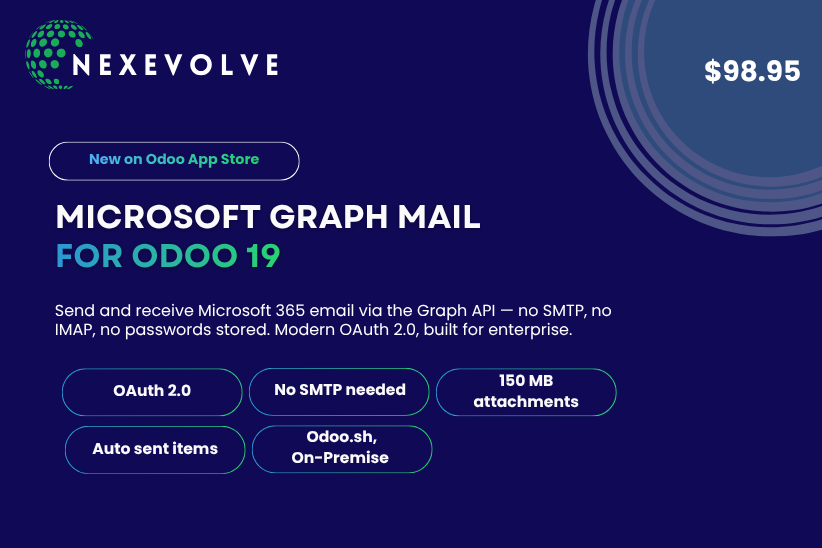
Microsoft Graph Mail is a new Odoo 19 module by Nexevolve that completely replaces the legacy SMTP and IMAP stack with direct calls to the Microsoft Graph API — the same modern, secure, Microsoft-endorsed API used by Outlook, Teams, and every other first-party Microsoft 365 application.
No SMTP. No IMAP. No passwords. No legacy protocols.
Just a clean, OAuth 2.0 authenticated, Graph API powered connection between your Odoo instance and your Microsoft 365 mailbox.
Available now on the Odoo App Store at $98.95 for Odoo 19.0.
How It Works: A Technical Overview
OAuth 2.0 Delegated Authentication
The module implements the full OAuth 2.0 Authorisation Code Flow – the gold standard for secure application authentication.
When you set up the module, you register an application in Azure Active Directory and grant it the necessary Microsoft Graph API permissions. The module then handles the complete OAuth flow: redirecting to Microsoft’s login page, receiving the authorisation code, exchanging it for access and refresh tokens, and storing only the tokens (never your password) in Odoo.
From that point forward, every email operation – sending, receiving, fetching is authenticated using short-lived access tokens that expire automatically. A 10-second lookahead checks token expiry before every send operation, refreshing the token proactively if needed. This prevents mid-send token expiry entirely.
And if a 401 Unauthorised response is ever received mid-flight, the module transparently refreshes the token and retries the request once – with zero disruption to the user.
Sending Email: Replacing SMTP Completely
For outgoing mail, the module replaces Odoo’s SMTP outgoing mail server with a direct call to the Microsoft Graph API’s /sendMail endpoint.
When any Odoo app — CRM, Invoicing, Helpdesk, HR, Sales, or any other – triggers an outgoing email, that email is serialised and sent via an authenticated HTTP POST to the Graph API. Microsoft handles delivery from there, exactly as if the email had been sent from Outlook directly.
The benefits are significant:
- No SMTP connection, no port 587, no TLS negotiation with a mail server
- The email appears in the sender’s Outlook Sent Items automatically – no extra configuration needed
- Full deliverability from a first-party Microsoft 365 mailbox
- No credentials stored, no passwords transmitted
Receiving Email: Replacing IMAP Completely
For incoming mail, the module replaces Odoo’s IMAP polling with direct calls to the Microsoft Graph API’s /messages endpoint.
A scheduled crone job (running every 5 minutes by default) fetches unread messages from the configured mailbox folder using the Graph API. Messages are marked as read in Outlook after processing. No IMAP connection, no POP3, no open mail ports required on the tenant.
This is particularly valuable for organisations that have disabled IMAP entirely at the Microsoft 365 tenant level — which is increasingly common as a security hardening measure.
Large Attachment Support (Up to 150 MB)
Standard email APIs have attachment size limits. The module handles this intelligently:
- Attachments under 3 MB are sent inline with the email body in a single Graph API call
- Attachments over 3 MB are automatically routed through Graph API upload sessions — a chunked upload mechanism that breaks large files into 4 MB segments and reassembles them on Microsoft’s servers
This all happens transparently. There is no configuration required and no size limit to set. Users can attach files up to 150 MB and the module handles the rest.
Security: Why This Is the Right Way to Do Email in Odoo
Let us be specific about what this module does for your security posture.
No Passwords in Your Database
The most important security property: no passwords are ever stored in Odoo. Not in the database, not in system parameters, not in configuration files.
The only credentials stored are OAuth 2.0 access and refresh tokens, which are:
- Short-lived (access tokens typically expire in 60 minutes)
- Scoped to specific Graph API permissions only
- Revocable instantly from Azure Active Directory
- Useless to an attacker without the full OAuth flow
If your Odoo database is ever breached, attackers cannot use the stored tokens to access your Microsoft 365 account in any meaningful way. There is no password to steal.
Compliance with Microsoft’s Modern Authentication Requirements
Organisations that have disabled SMTP AUTH and Basic Authentication at the tenant level — either as a proactive security measure or in response to Microsoft’s retirement timeline — can now run Odoo email fully within their security policy.
No exceptions. No re-enabled legacy protocols. No audit findings.
This is particularly important for:
- Government and public sector organisations with strict authentication policies
- Financial services firms operating under regulatory frameworks that mandate Modern Authentication
- Healthcare providers with HIPAA-adjacent email security requirements
- Enterprise organisations with CISOs who have mandated zero legacy protocol usage
Full Audit Trail
Every outbound email sent through the module automatically appears in the sender’s Outlook Sent Items folder. This gives you a complete, tamper-evident audit trail in Microsoft 365 — separate from Odoo’s own chatter and email logs.
For compliance and legal discovery purposes, this is significant. Your email records exist in two independent systems: Odoo and Microsoft 365.
Automatic Token Refresh and Retry
Token management is handled entirely by the module. You do not need to manually refresh credentials, re-authenticate periodically, or worry about token expiry causing email failures. The 10-second lookahead and silent retry-on-401 mechanism means your email just works – securely, reliably, without intervention.
Who Should Install This Module?
Organisations Running Microsoft 365 Where SMTP AUTH Has Been Disabled
If your Microsoft 365 tenant has disabled SMTP AUTH – either because Microsoft has retired it for your plan or because your IT team has proactively disabled it — this module is the only correct solution. Everything else is a workaround.
IT Teams and System Administrators
If you are responsible for the security of an Odoo deployment inside a Microsoft 365 environment, this module is what you have been waiting for. It brings Odoo email into compliance with modern authentication standards without requiring any exceptions or legacy protocol re-enablement.
Odoo Partners and Implementers
If you implement Odoo for clients in enterprise, government, healthcare, or financial services, you will encounter this problem repeatedly. Microsoft Graph Mail gives you a clean, supportable, compliant solution to present to clients with strict IT policies.
Businesses That Value Email Security
Even if SMTP AUTH has not yet been disabled on your tenant, installing this module is the proactive choice. You are eliminating credential storage in your ERP, bringing your email stack into alignment with Microsoft’s stated direction, and future-proofing your Odoo deployment against inevitable protocol deprecations.
Companies That Need a Full Audit Trail
If your business needs to demonstrate that all outbound business email is logged and auditable – in Odoo’s chatter and in Microsoft 365’s Sent Items simultaneously – this module provides that out of the box.
Setup Overview: Connecting Odoo to Microsoft Graph in 5 Steps
The setup process involves registering an application in Azure Active Directory and configuring the module in Odoo. Here is a high-level overview:
Step 1: Register an App in Azure Active Directory Create a new application registration in your Azure portal. Note the Application (client) ID and Directory (tenant) ID.
Step 2: Configure API Permissions Grant the application the required Microsoft Graph API permissions: Mail.Send for outgoing mail and Mail.ReadWrite for incoming mail. Grant admin consent for the organisation.
Step 3: Create a Client Secret Generate a client secret in Azure AD. This secret is used during the initial OAuth flow only — not stored permanently in Odoo.
Step 4: Configure Outgoing and Incoming Mail Servers in Odoo In Odoo’s Settings, configure your outgoing mail server to use Microsoft Graph Mail and complete the OAuth 2.0 authorisation flow. Configure your incoming mail server with the target folder.
Step 5: Test and Verify Send a test email from Odoo and verify it appears in both Odoo’s chatter and your Outlook Sent Items. Trigger an incoming mail fetch and verify messages are pulled correctly.
For detailed setup documentation and support, contact the Nexevolve team directly at sales@nexevolve.com.
Final Thoughts
The way business software handles email is changing. Microsoft has made its direction clear: legacy protocols are being retired, Modern Authentication is the standard, and organisations that do not adapt will face broken integrations and security vulnerabilities.
Odoo is too important to your business to have its email backbone sitting on a deprecated, insecure foundation.
Microsoft Graph Mail by Nexevolve is not a patch or a workaround. It is a complete, ground-up implementation of the right way to connect Odoo to Microsoft 365 — using the same APIs and authentication standards that Microsoft itself uses across all of its own products.
One module. The most secure way to send and receive email from Odoo.
Ready to upgrade your Odoo email?
Get Microsoft Graph Mail on the Odoo App Store or reach out to our team for implementation support.
- Website: nexevolve.com
- Email: sales@nexevolve.com
- App Store: apps.odoo.com/apps/modules/19.0/microsoft_graph_mail